February 25, 2016
Getting Started with Python - Part 1
Introduction, installation, and basic Python concepts.
Introduction
Created in 1990 by Guido van Rossum, Python is a very high-level, object-oriented, dynamically and strongly typed, case-sensitive, interpreted and interactive language. It has a clear and concise syntax, favoring source code readability and making you more productive. Besides being used as the primary language in system development (web, desktop), Python is also used as a scripting language in a variety of software, allowing tasks to be automated and features to be added.
Installation
Linux/Mac Os X
By default, on Linux systems (Ubuntu, Elementary, Fedora, CentOs) and Mac Os, Python is already installed. To check, simply type the command "python" or "python3" (without quotes) in the Terminal and press enter, opening the interpreter.
- Important: today Python has two stable versions, 2.x and 3.x, hence the two commands mentioned above. If you don't know which one to choose, go with 2.x, since most tools and frameworks are compatible with that version.
Windows
On Windows, Python will need to be installed. To do so, access the link https://www.python.org/downloads/ and download the desired version. Once installed, check whether it's already available in the Command Prompt by typing "python" (without quotes) and pressing enter. If it isn't, you'll need to add the Python installation path (e.g. C:/Python27) to the "PATH" environment variable and restart the computer.
Basic concepts
Note: The Linux - Ubuntu 14.04 system will be used as the base for development and testing.
Interactive interpreter
The interactive interpreter is a distinguishing feature of the language, allowing you to modify and test functions before including them in your programs. To open the interpreter on Linux, type:
$ python
On Windows, if installed correctly, type at the command prompt:
python
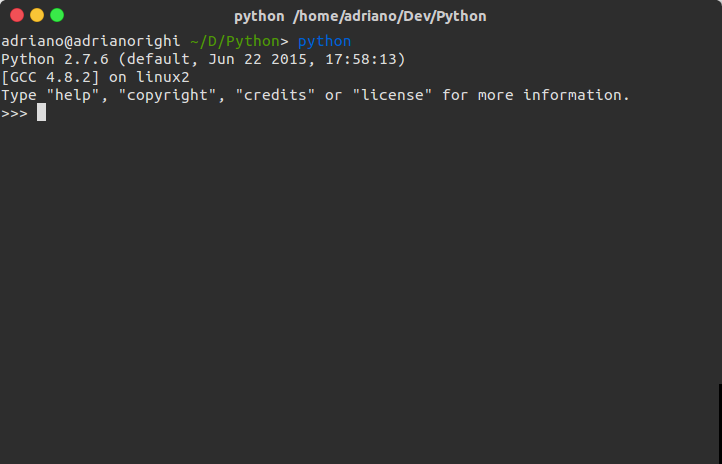
In either case, an interpreter similar to the image below will be displayed:
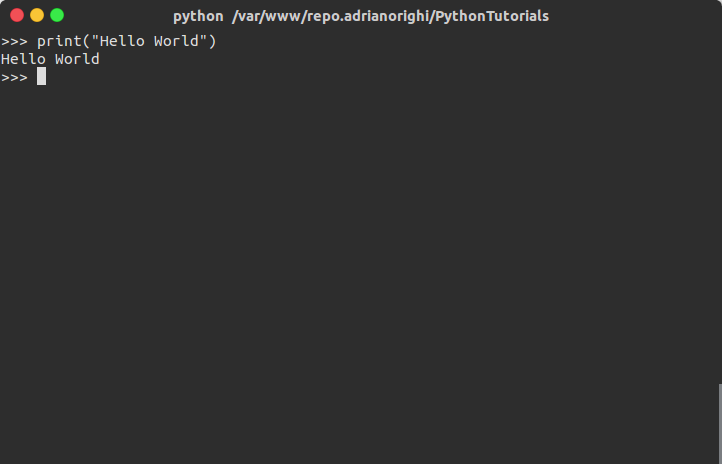
In the interpreter it's possible to run tests and see the results in real time. Type "print("Hello World!")" (without the outer quotes) and press enter. The result will be the same as in the following image:
With that you can already play around a bit... :)
Indentation
Indentation is a peculiar feature of the language. While in languages like C, PHP, and Java blocks are delimited by braces ({}) and in Pascal by keywords (endif, then), in Python blocks are delimited by spaces or tabs, forming a visual indentation. Correct indentation is very important because the lexical analyzer will recognize the various keywords and check whether the blocks are indented as required.
Bytecode Compiler
The Python language can compile your programs so that the next time they are run there's no need to compile them again, thus making their execution faster. When using the interactive interpreter there's no need to create compiled Python files; the commands are executed interactively. When we call a program or module, the interpreter will check the lexical and syntactic analysis and will compile and execute the code. It's possible to disassemble compiled Python code using the "dis" module from the language's standard library.
Conclusion
With this introduction it's already possible to test some first lines of code in Python. In the next post, the following topics will be covered: Syntax Blocks Objects All the examples created in this series of posts will be made available on GitHub: https://github.com/adrianorighi/PythonTutorials
Tip 1: If you're curious, you can use help in the interpreter by typing "help()" (without quotes). Tip 2: To learn about the project's goals, type "import this" in the interpreter. Tip 3: To exit the interpreter, type "exit()" or "quit()".
See you next time! ;)